Color Picker
You've got a super cool looking overlay, but you want the user to change the color. Here's some code for a super nice color picker!
First, you need to be rendering something on the canvas. Let's say it's a single chunk of text. Like this example.
Next, make a cvar for color. This is really simple. The default value can be encoded with hex
cvarManager->registerCvar("cool_color", "#FFFFFF", "color of overlay");
Now in the canvas render, use the new color
CVarWrapper textColorVar = cvarManager->getCvar("cool_color");
if (!textColorVar) {
    return;
}
LinearColor textColor = textColorVar.getColorValue();
canvas.SetColor(textColor);
// render text after setting the color
This code goes wherever you're rendering your ImGui
CVarWrapper textColorVar = cvarManager->getCvar("cool_color");
if (!textColorVar) { return; }
// converts from 0-255 color to 0.0-1.0 color
LinearColor textColor = textColorVar.getColorValue() / 255;
if (ImGui::ColorEdit4("Text Color", &textColor.R)) {
    textColorVar.setValue(textColor * 255);
}
Here's the final result. First when you hover the ColorButton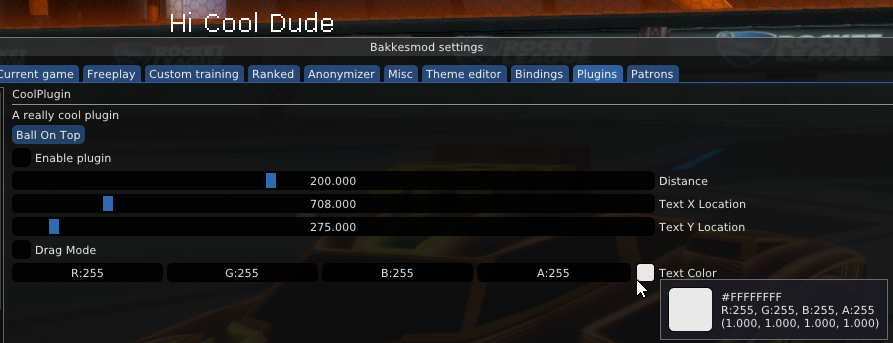
And here's when the ColorPicker popup is opened by clicking the ColorButton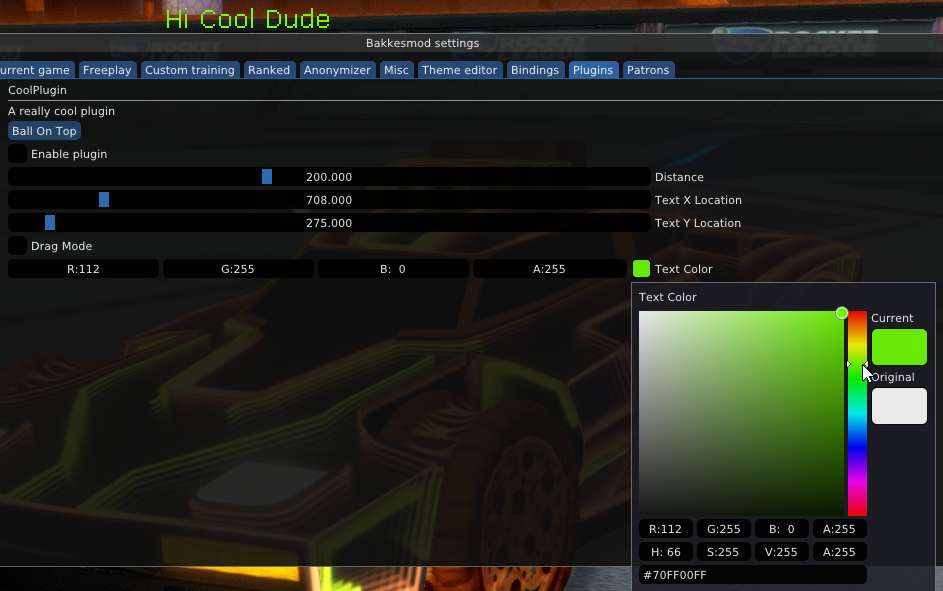
There's multiple flags to change the ColorEdit. If you want a color wheel, or alpha, or just the color button, there's many ImGuiColorEditFlags found on line 1150 of IMGUI/imgui.h
For example, I like this combination
ImGui::ColorEdit4("Text Color With Flags", &textColor.R, ImGuiColorEditFlags_NoInputs | ImGuiColorEditFlags_AlphaBar)
With these flags it looks like this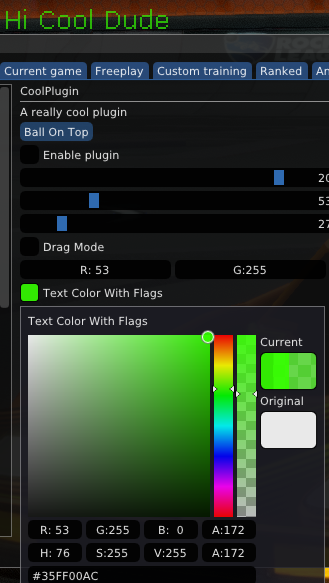
Click here to see exactly how this code is used in CoolPlugin's source